
Versioning & revision tracking
Are all plan revisions kept seamlessly? Are they bundled in one document node and revised automatically? Does every single file version stay accessible long-term?
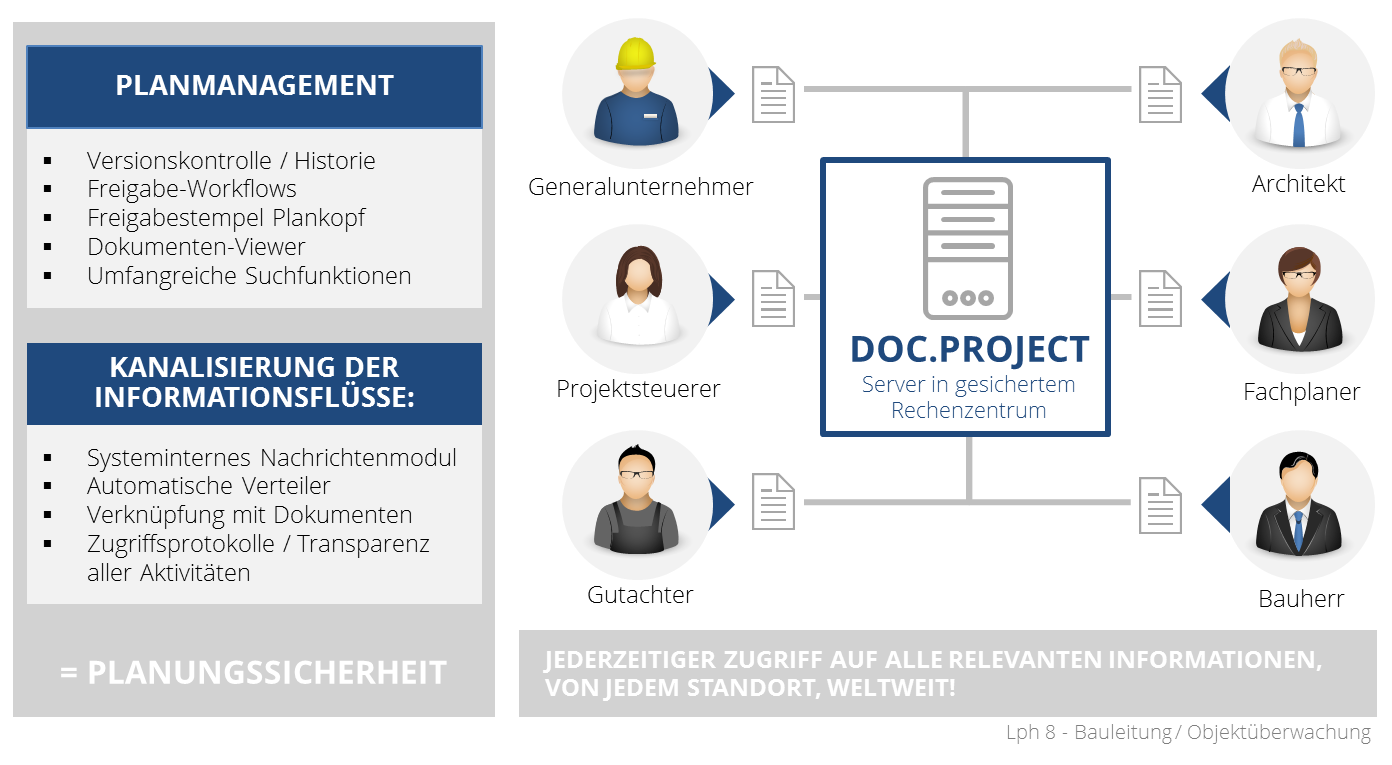
Choosing a project communication system (PCS - also known as a Common Data Environment, CDE) decides whether a construction project runs in an orderly, traceable and legally sound way - or whether plan revisions, mail attachments and Excel lists end up causing the dispute. This page gives you a structured overview of the criteria our clients have flagged as decisive since 2001.
A good PCS has to convince in four dimensions. Anyone who only checks the feature list typically overlooks operational aspects (support, SLA, roll-out effort) or regulatory questions (GDPR, ISO 27001, data residency). We recommend evaluating all four pillars in parallel - and adjusting weighting to project size.
This list distils the requirements that owners, general contractors, planners and project managers have spelled out to us across two decades. Use it as the basis for a requirements specification or a vendor scoring matrix.
Are all plan revisions kept seamlessly? Are they bundled in one document node and revised automatically? Does every single file version stay accessible long-term?
Granular down to field level? Per project, per plan category, per company? How heavy is maintenance with 50+ participants?
Configurable plan and document workflows with deadlines, escalation and follow-up. Notifications by e-mail or in-app inbox - and steerable per role.
Who uploaded, opened, changed or released what, and when? Tamper-proof and admissible in court - this protects you in disputes.
Viewer in the browser, no local CAD licence required. Mark up documents and add graphic and text annotations - directly in the PCS.
Data processing agreement, TOMs, EU data residency, ISO certification of both the hosting provider and the software development.
DE/EN as a minimum, more languages per project. Critical for international joint ventures and foreign subcontractors.
SLA with defined uptime (e.g. 99.9 %). Backup, disaster recovery and transparent maintenance windows.
How quickly is a new subcontractor activated? Are there self-service flows, quick-start guides, training videos?
Licence + hosting + customising + training + support. Beware per-user pricing: with many subcontractors, costs spiral out of control.
How far can the system be tailored to your processes? Are custom fields, workflows and reports configurable - or is code work needed?
Do you reach real people with construction know-how? Response times under 4 hours? Is there a dedicated point of contact?
First: do not only score features, score vendor stability. A PCS typically stays with you for 3-8 years - who will maintain that product over that period is at least as important as today's feature list. Second: do not let yourself be sold by slide demos. Demand a sandbox loaded with your own plan data. Third: bring later key users (site management, GC planners, subcontractor coordination) into the evaluation early - they spot the gaps between marketing and reality.
In a demo we are happy to show you how DOC.project addresses these criteria. You can find the functions in the DOC.project feature overview and the commercial terms under Pricing 2026.
"When selecting the project communication system for the construction of the A 20 Coastal Motorway, DOCby.net came out as the most suitable bidder thanks to the best price/performance ratio."
Translated from the German original."The DOC.project platform is very well structured; the project tree can be designed yourself, and even later on the system is so flexible that external folders can be brought in without any problem. Posting revisions works very well."
Translated from the German original."Unlike other project communication systems, where even just getting access is often awkward, the workflows and approval processes in DOC.project are mapped considerably better; that is a major advantage."
Translated from the German original.Rule of thumb from our experience: from around EUR 5 million in construction volume, or once 10+ companies are permanently involved, a dedicated PCS pays off. Below that, DMS functionality with plan workflows often suffices - as long as the audit trail and versioning are clean.
A Common Data Environment (CDE) is the term used in ISO 19650 for a shared data environment in the BIM context. PCS is the German-language label that emphasises plan management and workflows. In practice the terms overlap heavily.
Models range from flat per-project licences (e.g. from EUR 300/month) to per-user pricing (from EUR 30/user). When many subcontractors are involved we recommend flat or tier-based models - otherwise user management spirals. Transparent tiers for DOC.project are listed under Pricing 2026.
For most owners cloud hosting in an ISO 27001-certified German data centre is the right choice. On-premise makes sense in special cases with high security requirements (e.g. critical infrastructure, defence) or for large groups that run their own data centres. DOC.project supports both variants.
From the first requirements spec to the pilot decision, plan 8 to 14 weeks. That includes workshops, sandbox tests, reference calls and a TCO comparison. We are happy to support this process in a neutral capacity - get in touch.
In a 60-minute workshop we walk through your specific requirements against the checklist and deliver a first scoring matrix. Free of charge, with no sales pressure.